 MAPI
MAPIHow to Clean Earbuds Without Damaging Them
Earbuds collect earwax, dust, skin oils, and moisture in small areas that are easy to damage. The speaker mesh, microphones, sensors, and charging contacts need a gentle approach because liquid, sharp tools, or hard scrubbing can reduce sound quality or damage the electronics. Cleaning instructions vary between brands and models, so use the steps below as a safe general method and follow your manufacturer's instructions when they are more specific.
Remove the earbuds from power, take off removable ear tips, and clean the speaker mesh with a dry cotton swab or soft dry brush. Wipe the earbud body and charging contacts gently, use liquid only where your manufacturer specifically allows it, and let every part dry completely before reassembly or charging.
Things you'll need
- Soft dry lint-free or microfiber cloth
- Dry cotton swabs
- Clean soft-bristled brush
- Fresh water for removable ear tips only when the manufacturer allows rinsing
- Clean dry towel
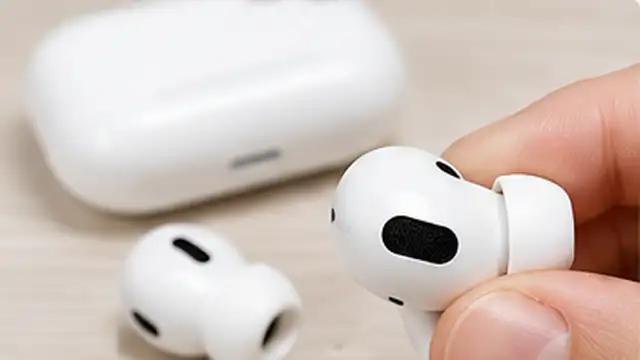
Disconnect the earbuds from power
Take the earbuds out of the charging case and unplug the case if it is connected to power. If your model can be turned off, switch it off. Work on a clean, dry surface so loose debris does not fall back onto the earbuds while you clean them.
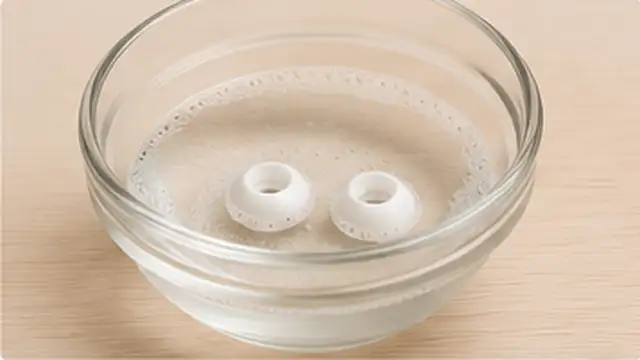
Remove and clean the ear tips
If your earbuds have removable silicone ear tips, pull them off gently without twisting or stretching them more than necessary. Wipe away visible earwax with a soft cloth. If your manufacturer says the tips can be rinsed, wash the detached tips with fresh water only, then dry them completely before putting them back on. Do not rinse the electronic earbud body.
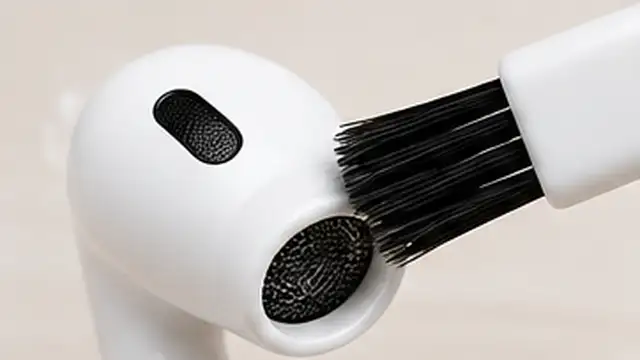
Brush debris away from the speaker mesh
Hold the earbud so the speaker mesh faces downward or slightly sideways. Use a dry cotton swab or a clean soft-bristled brush to loosen earwax and dust with light strokes. Work from the surface outward instead of pressing debris through the mesh. Do not use pins, needles, metal brushes, or other sharp tools.
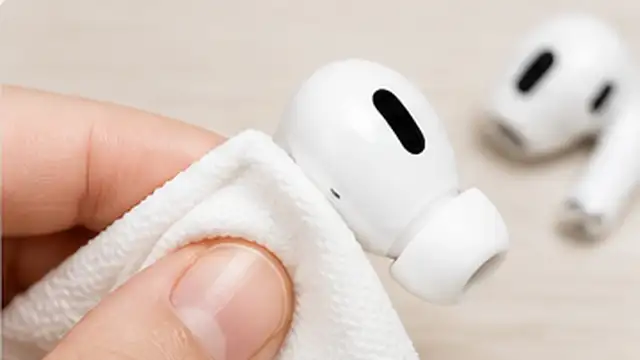
Wipe the earbud body and sensors
Use a soft, dry, lint-free cloth to wipe the outside of each earbud, including touch surfaces and sensors. If there is a stubborn mark, check the cleaning instructions for your exact model before using a damp cloth or alcohol because some manufacturers allow certain liquids while others specifically warn against them. Keep moisture away from every opening.
Clean the charging contacts and case
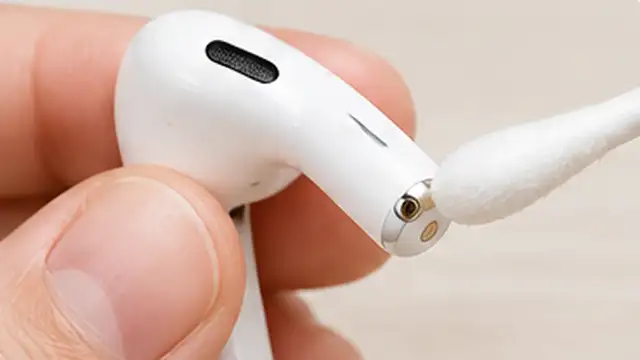
Use a dry cotton swab to gently clean the metal charging contacts on the earbuds and inside the case. Wipe the case with a soft dry cloth, and use a clean dry soft-bristled brush to lift debris from the charging port. Do not scrape the contacts, insert metal objects into the port, or let liquid collect inside the case.
Let everything dry before reassembly
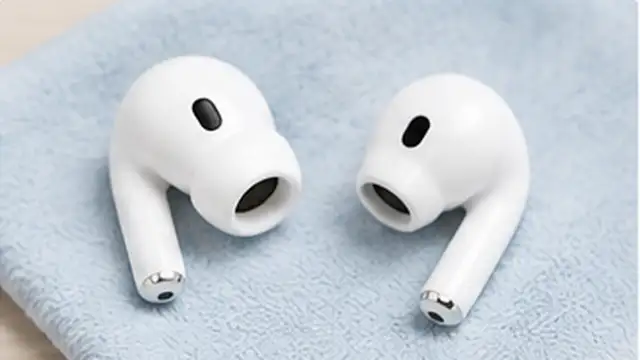
Check the ear tips, earbuds, contacts, and charging case for any remaining moisture. Let damp removable parts air-dry completely before reattaching them. Do not place wet earbuds in the charging case or connect the case to power. Once everything is dry, reassemble the ear tips and test the sound and charging normally.
Tips & common mistakes
Tips for best results
- Clean visible earwax before it forms a thick layer over the speaker mesh.
- Wipe earbuds dry after exercise or heavy sweating before putting them back in the charging case.
- Keep the case interior free of lint so debris does not transfer back onto clean earbuds.
- Use separate clean cotton swabs for the speaker area and charging contacts when the earbuds are very dirty.
- Check the support page for your exact model before using water, alcohol, disinfecting wipes, or any other liquid cleaner.
Common mistakes
- Pushing a pin or sharp tool through the speaker mesh: This can puncture the mesh or damage the driver underneath.
- Pouring or spraying cleaner directly onto the earbuds: Liquid can enter microphones, speakers, vents, sensors, or charging contacts.
- Assuming alcohol is safe for every brand: Some manufacturers permit limited alcohol use on certain parts, while others advise against it.
- Reattaching wet silicone tips: Trapped moisture can enter the earbud or remain against the speaker opening.
- Putting damp earbuds straight into the charging case: Moisture around charging contacts can interfere with charging and may contribute to corrosion.
Frequently asked questions
Can I use rubbing alcohol to clean earbuds?
Only if the manufacturer of your exact earbuds says it is safe for the part you are cleaning. Cleaning guidance differs between brands, so do not treat alcohol as a universal earbud cleaner.
How do I remove earwax from the speaker mesh?
Hold the mesh downward and gently loosen surface wax with a dry cotton swab or clean soft-bristled brush. Do not push wax through the mesh or use sharp metal tools.
Can I wash silicone ear tips with water?
Many removable silicone tips can be rinsed after they are detached, but check the manufacturer's instructions first. Dry them completely before reattaching them.
Why do my earbuds sound quieter after getting dirty?
Earwax, skin oils, or dust can block part of the speaker mesh and reduce sound output. Gentle surface cleaning may restore volume if debris is the cause.
How often should I clean my earbuds?
Wipe them whenever you see dirt or moisture, and clean the speaker mesh and ear tips regularly if you use them often. Frequent light cleaning is safer than waiting for a heavy buildup.
Written by Mapiance Editorial Team
The Mapiance Editorial Team researches, writes, reviews, and maintains practical guides and explainers for MAPIANCE.
Published Aug 23, 2026 · Updated Sep 12, 2026