 MAPI
MAPIHow to Use ChatGPT Work for Multi-Step Tasks
ChatGPT Work is designed for longer tasks that need more than one simple answer. It can research, analyze information, use files and connected tools when available, and create finished materials such as documents, spreadsheets, presentations, reports, and Sites. For the best results, give Work a clear outcome, the right source material, and enough guidance to know what a good final result should look like. Availability and available actions can depend on your plan, device, workspace settings, and connected apps.
Open Work, start a new task or use an existing Project, then describe the final result you want and attach the files or context it needs. Give clear constraints and review criteria, follow the progress, correct the direction when needed, and review the finished output before using it.
Things you'll need
- A ChatGPT account with Work available
- The files or source material needed for the task
- A clear description of the final deliverable
- Any template, reference file, or project instructions you want Work to follow
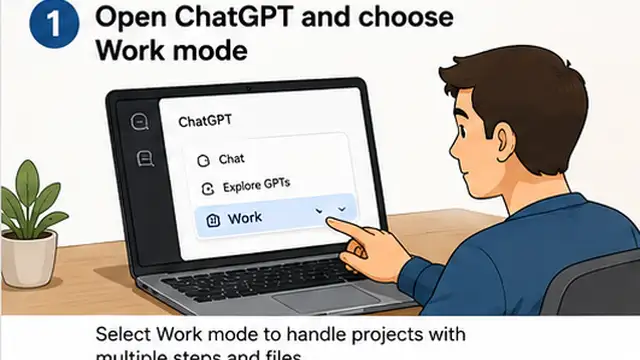
Open Work and choose the right task
Select Work when the job needs several connected steps, research, file handling, or a finished deliverable rather than a quick answer. On web or mobile, choose Work and start a new task. In the desktop app, choose ChatGPT and switch from Chat to Work. If the task belongs to an ongoing effort, open the relevant Project so Work can use its existing context.

Describe the final outcome
Tell Work what you want completed, not only the first action. For example, instead of asking it to read several reports, ask it to compare the reports, identify the main differences, and create a decision brief. Name the output you expect, who will use it, and what should be included so Work can plan the task around the final result.
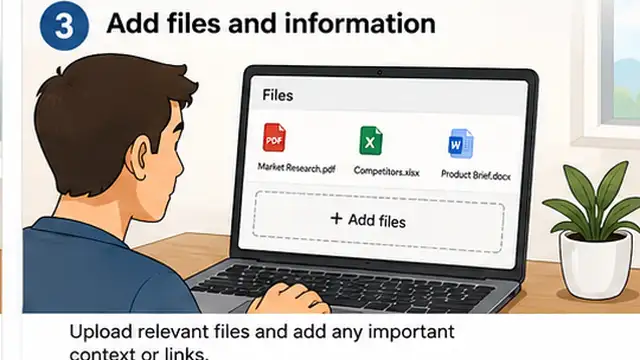
Add the files and context it needs
Attach the documents, spreadsheets, images, or other source files that Work should use. If you are working inside a Project, keep related files, chats, and project instructions together so the task starts with the right background. In the desktop app, Work can also use local files when your plan and permissions allow it; web and mobile Work do not directly access files stored on your computer.
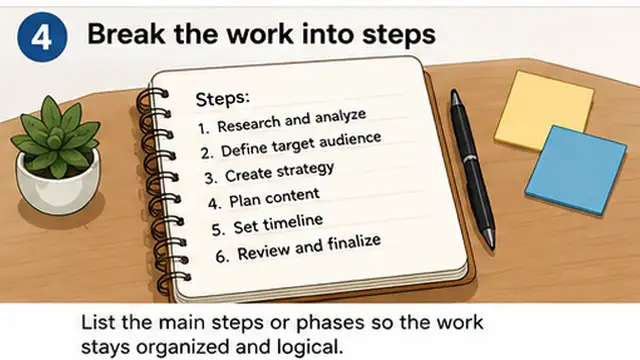
Set constraints and review criteria
Explain what Work must preserve and what you will check before accepting the result. This can include tone, formulas, branding, slide order, table structure, source requirements, file format, or a reference template. Clear review criteria reduce unnecessary revisions because Work knows what must stay unchanged while it completes the task.
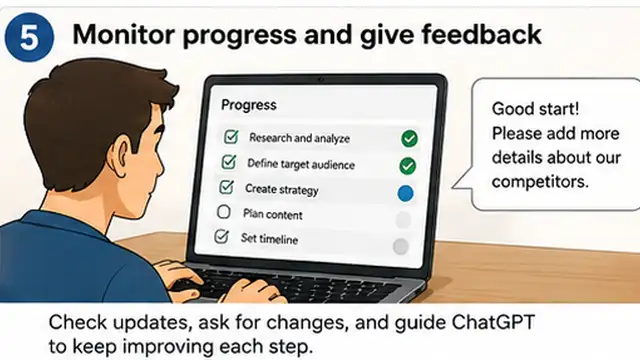
Follow the progress and correct the direction
Let Work move through the task, but stay involved when a decision matters. You can review progress, answer questions, change the direction, or approve important actions. If you notice that the task is using the wrong source, structure, or assumption, correct it early instead of waiting until the final deliverable is complete.
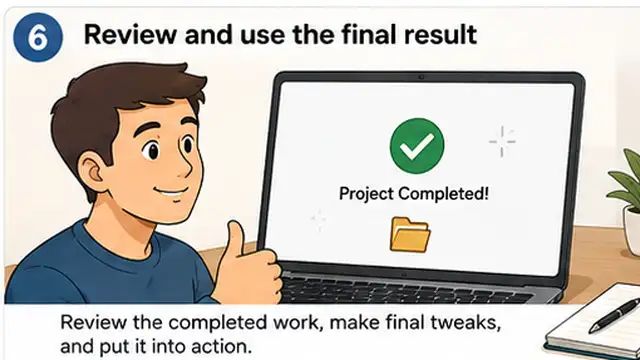
Review the finished result and continue if needed
Check the completed deliverable before sharing or relying on it. Verify important facts, formulas, sources, formatting, and any constraints you specified. Then ask Work to make targeted changes in the same task so it can keep the existing context. For recurring work, you can also use a Project or Scheduled Task where available instead of rebuilding the workflow from the beginning each time.
Tips & common mistakes
Tips for best results
- Give Work the final deliverable first, then explain the steps or source material it should use.
- Use a Project when the task depends on context you will need again later, such as files, instructions, and related chats.
- Attach a reference file or reusable template when the output must match an existing structure or brand.
- For spreadsheets, name the important sheets, columns, formulas, and charts instead of asking only for a general cleanup.
- For presentations, describe the sections, slide types, and visual checks you expect before Work starts.
- Review high-impact actions and important facts even when the task has been completed automatically.
Common mistakes
- Giving only the first step instead of the final outcome: Work can plan better when it knows what finished result you need.
- Uploading many files without explaining which ones matter: This can make the task less focused and increase unnecessary work.
- Leaving important constraints unstated: Work may change formatting, structure, formulas, or tone that you intended to preserve.
- Waiting until the end to correct a wrong direction: Early corrections are usually easier than rebuilding a finished deliverable.
- Treating Work as completely hands-off: You should still review important outputs, approvals, formulas, sources, and business decisions.
Frequently asked questions
What is the difference between Chat and Work in ChatGPT?
Chat is designed for quick conversational help and everyday questions. Work is designed for longer, multi-step tasks that may involve research, files, connected tools, and finished deliverables.
Can I use ChatGPT Work inside a Project?
Yes. You can open an existing Project and start a Work task using the Project's context, including its files, instructions, and related work.
Can ChatGPT Work create files?
Yes. Depending on your plan, device, workspace settings, and connected apps, Work can create or edit documents, spreadsheets, presentations, reports, analyses, and Sites.
Can Work use files stored on my computer?
The desktop app can use local files when your plan and permissions allow it. Work on web and mobile cannot directly access files stored on your computer.
Do I need a template to use ChatGPT Work?
No. You can start with instructions and source material. A template or reference file is useful when the output needs to match an existing structure, branding, or repeatable workflow.
Written by Mapiance Editorial Team
The Mapiance Editorial Team researches, writes, reviews, and maintains practical guides and explainers for MAPIANCE.
Published Aug 24, 2026 · Updated Sep 30, 2026